 banda
AlphamacOS, Linux and Windows
A band of AI agents that work for you.
Each with a computer of its own. Nothing goes out without your OK.
Download banda
Open source · All downloads
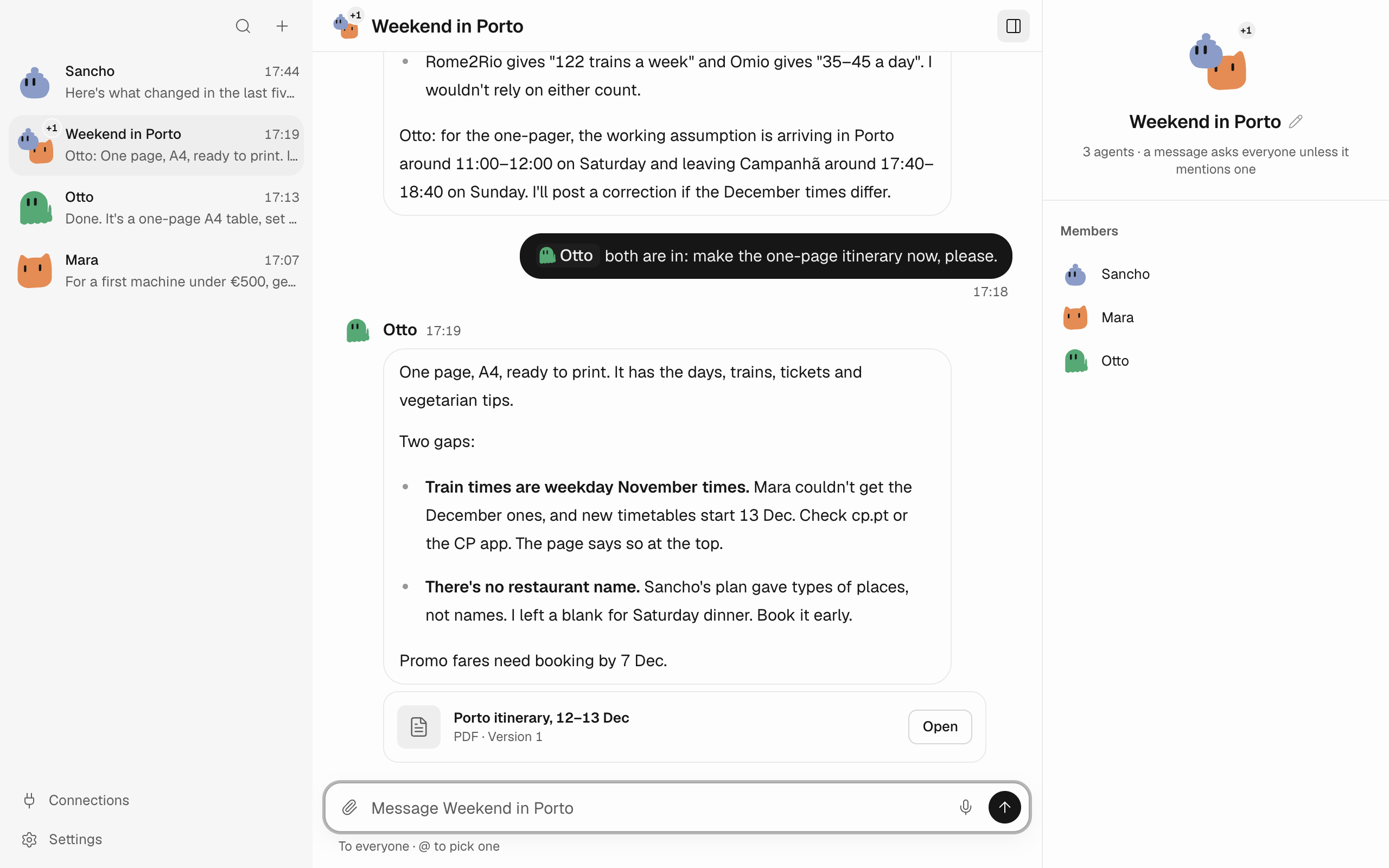
Mara finds trains, Sancho plans food, Otto makes the itinerary.
Your agents, your rules.
Each agent is a chat. Group them and they work together.
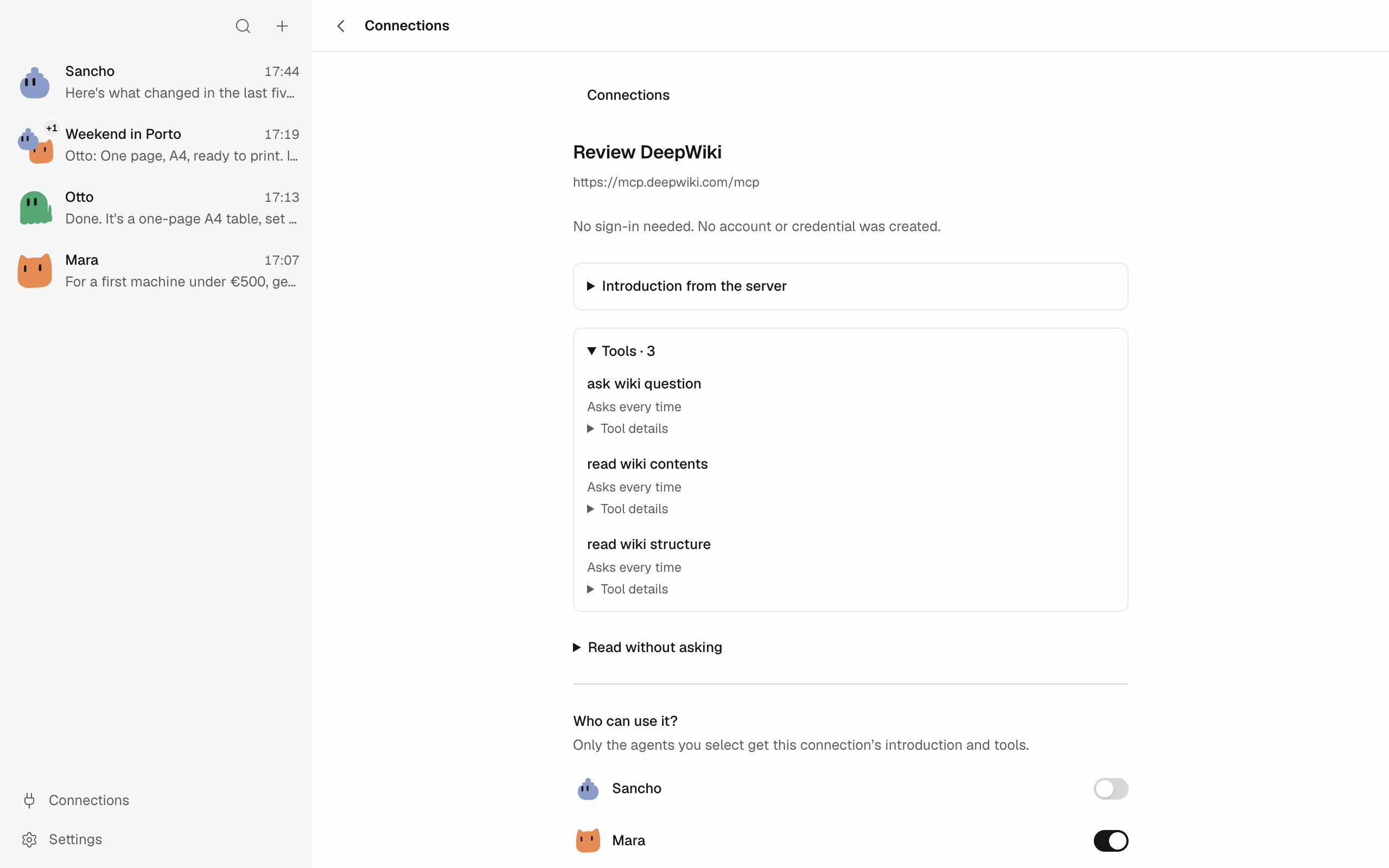
Connect anything
GitHub or any MCP server, for the agents you pick.
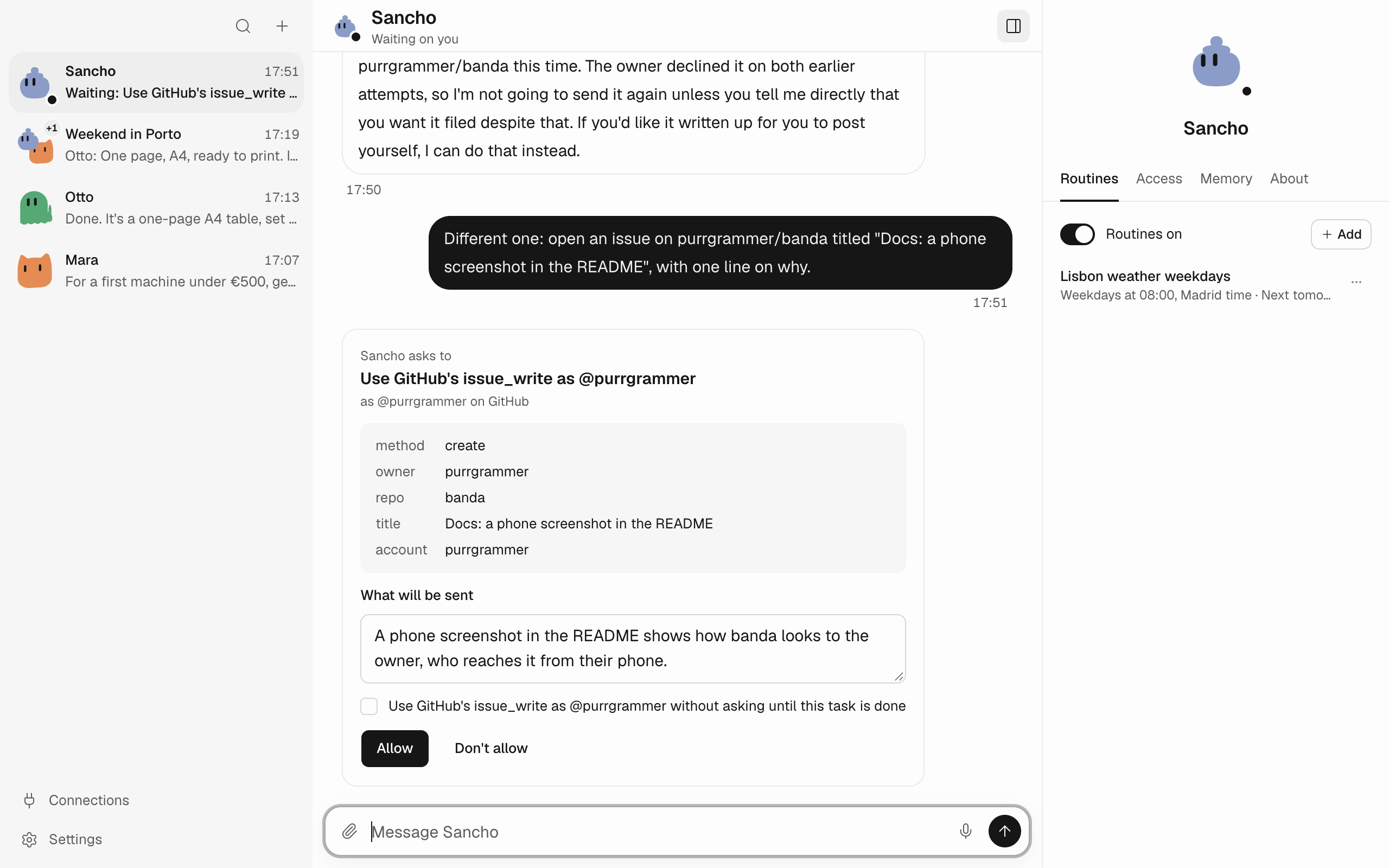
It asks before it acts
You see exactly what it will send, then say yes or no.

A computer of its own
Watch its browser live, take over, or stop it.
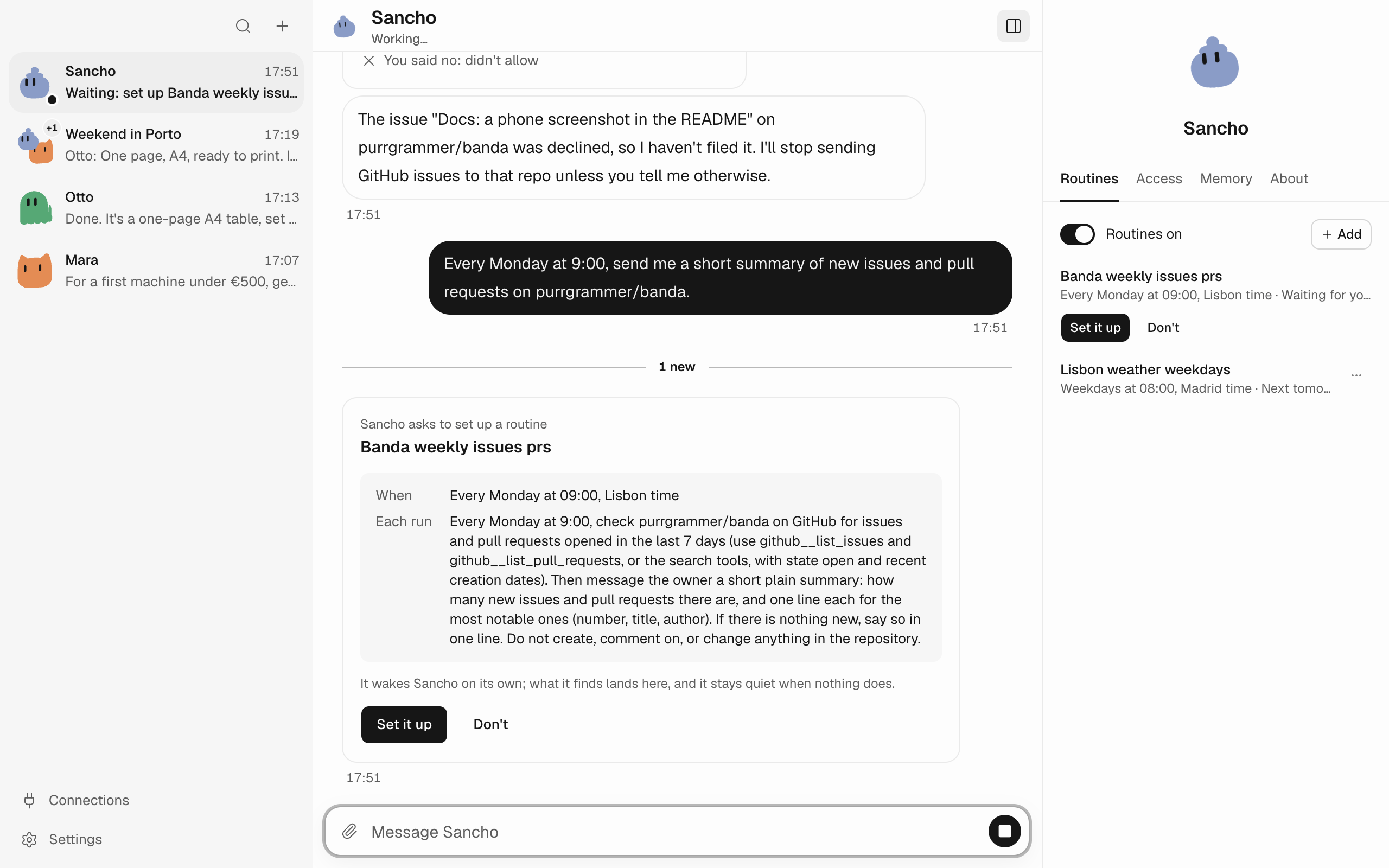
Routines
Agents wake on a schedule and report back.
Get started
It runs on your computer, and your data stays there.
1
Install banda
Download the app and start Docker: each agent's computer is a container.
2
Choose a provider
Sign in with your account or paste an API key.
3
Meet Sancho
Your first agent. Ask it anything, then grow the band.
Anthropic
OpenAI
GitHub Copilot
OpenRouter
xAI
Meta
Google
Azure
Vertex AI
Amazon Bedrock
Mistral
DeepSeek
Groq
Cerebras
Prefer a terminal?
Get the CLI and run banda serve.